battery did not last through the night. I will charge it fully and then try it again during working hours. After I plugged the surveyor back in, the “on” light went magenta and now is white.




Battery lasted from 9:30-3:30,4ish
I need to get this thing up and running. We use it every day with multiple rovers and “unskilled" labor. Having to reset it constantly is getting to be too much. I really feel like it is a network issue with the surveyor. We connected it to another router that runs off the same building internet and it comes back online sooner, but still stops broadcasting very frequently. I am going to try and hook it up to a hotspot today and see if that helps.
It definitely stops broadcasting through the internet because as soon as the lights stop flashing/alternating, Emlid caster says the base station goes offline.
Just tried my iPhone hotspot and it won’t stay connected. It picks up and immediately drops.
I have unplugged the usb-c from the surveyor.
I am confused - why? I recommend you disconnect the internal battery and use external power exclusively.
Just tried my iPhone hotspot and it won’t stay connected. It picks up and immediately drops.
Be sure you have “Maximize Compatibility” mode on iOS (docs). iPhones like to default to 5GHz which is not compatible with the RTK Surveyor.
I’m sorry for the frustration! I cannot see anything glaring in your settings.
- If you’ve wasted too much time on the setup, let’s consider a return. We can test the unit for you and if we find any issues, we’ll replace the unit.
- Remove the battery, then check that power is not the issue. If you’ve got another USB A wall adapter handy, and even a different USB A to C cable, please give it a try, so we can remove power or the cable as an issue.
- HPG 1.50 is excellent. Leave that in place.
- If you can capture the serial output of the “ESP32 CONFIG” connector (115200bps serial) for a few hours (when the drop off occurs) then we may be able to diagnose why the device is dropping offline.
So we set up another wifi and connected to that. I removed all other wifi connections in the settings. Thus far everything is working for 24+ hrs. It must be the other networks were kicking the unit off for some reason.
Ok so new problem, I dont know if the problem lies with the rtk surveyor or something else. The unit is connected to wifi and emlid caster says its online. My rovers can connect, but get an error code “No Recent Correction Data.” I take this to mean that the surveyor is not broadcasting data. Resetting the surveyor twice today has fixed the problem.
I wonder if the RTC battery needs a good re-charge…leave the unit on the charger for ~24 hours in a row and see if that helps
Everything was working for awhile, but now has gone to crap again. It will not currently broadcast (connect to wifi) at all. I’ve tried changing the wifi connections, plugging and unplugging the battery, different wall chargers.
Connect to the CONFIG ESP32 port. Open a terminal at 115200. What do you see?


Out of curiosity, are you using mountpoint “bldr_dwntwn2”?
Nope. And the unit is still not broadcasting data. I really need to get something figured out quickly
We are able to ping the IP Address 192.168.4.1 through the network so I guess that means the unit is connected to the network but is not broadcasting correction data

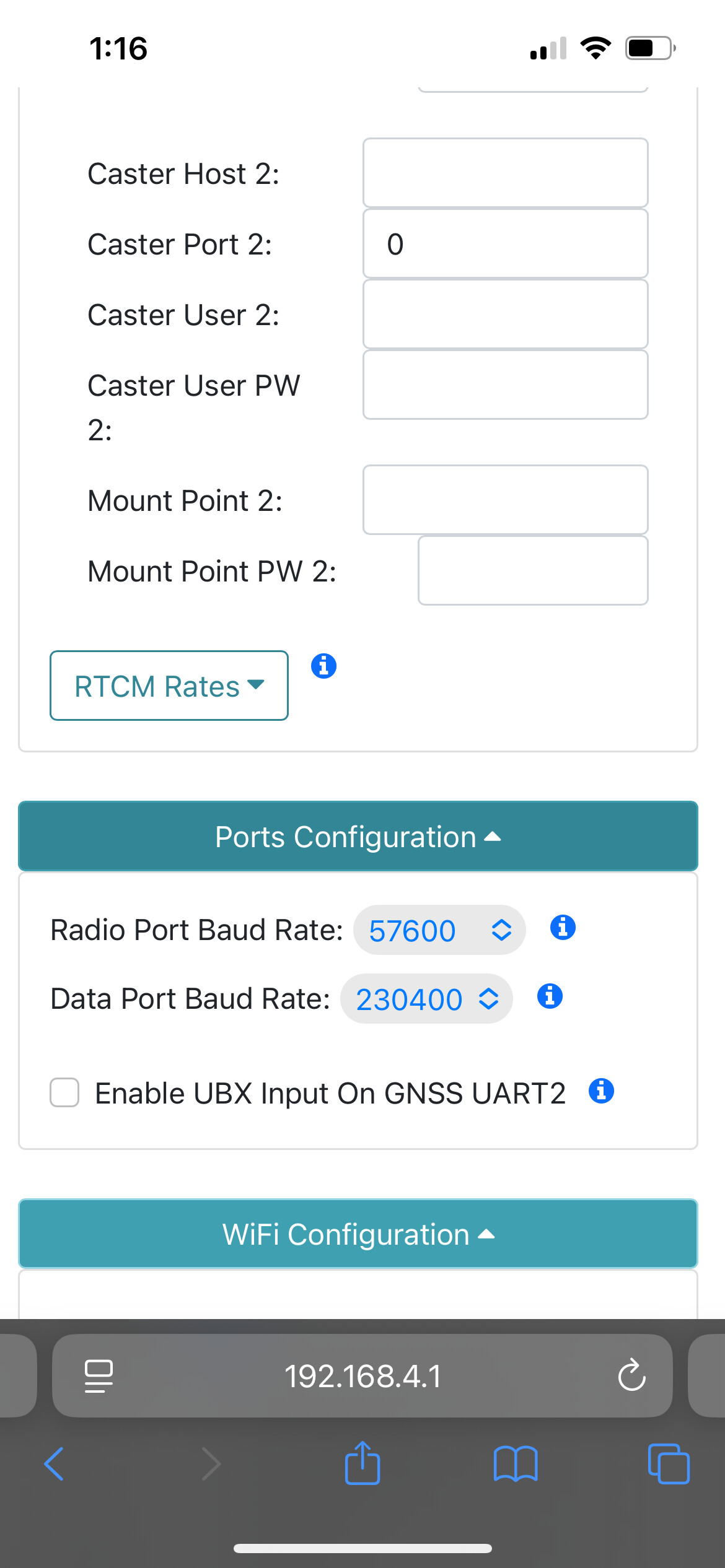
Your serial output indicates an IP address of 192.168.1.40. I’m not sure why 192.168.4.1 is showing up. This is commonly the IP address of an RTK unit that is broadcasting its own access point used during device Web Config as shown by your previous posts:

If you’re done spending time on this, we can start a refund. If you want to return the unit for RMA inspection, we can do that, but I can’t figure out what’s going wrong from a hardware perspective. If you have a moment, from the ‘S’ystem→’N’etwork menu, please enable the NTRIP server state and caster debug:

Then post as much of the serial output as you think is relevant. This will help us try to determine if the Server is truly connecting to the caster, or even trying…
�Rover Accuracy (m): 0.2865, SIV: 32
Batt (54%): Voltage: 4.11V Charging: 83.62%/hr Green
Rover Accuracy (m): 0.2864, SIV: 32
Rover Accuracy (m): 0.2863, SIV: 32
Batt (54%): Voltage: 4.11V Charging: 83.62%/hr Green
STATE_ROVER_FIX → STATE_BASE_NOT_STARTED, 2026-03-26 15:04:35.642
Bluetooth SPP broadcasting as: Surveyor Base-238E
RTCM parser error maxLength: 158 bytes
RTCM parser error maxLength: 173 bytes
STATE_BASE_NOT_STARTED → STATE_BASE_FIXED_NOT_STARTED, 2026-03-26 15:04:36.771
STATE_BASE_FIXED_NOT_STARTED → STATE_BASE_FIXED_TRANSMITTING, 2026-03-26 15:04:36.963
NTRIP Server 0 start
ntripServerStop server 0 start requested
Connecting WiFi…
WiFi IP address: 192.168.1.40, RSSI: -22
Batt (54%): Voltage: 4.11V Charging: 83.62%/hr Green
Batt (54%): Voltage: 4.11V Charging: 83.62%/hr Green
ntripServerStop server 0 start requested
Batt (54%): Voltage: 4.11V Charging: 92.14%/hr Green
Batt (54%): Voltage: 4.11V Charging: 92.14%/hr Green
Batt (54%): Voltage: 4.11V Charging: 92.14%/hr Green
Batt (54%): Voltage: 4.11V Charging: 92.14%/hr Green
Batt (54%): Voltage: 4.11V Charging: 92.14%/hr Green
SparkFun RTK Surveyor v4.2
** Bluetooth SPP broadcasting as: Surveyor Base-238E **
Menu: Main
-
Configure GNSS Receiver
-
Configure GNSS Messages
-
Configure Base
-
Configure Ports
-
Configure Logging
-
Configure WiFi
-
Configure Network
p) Configure User Profiles
r) Configure Radios
s) Configure System
f) Firmware upgrade
x) Exit
s
Menu: System
GNSS: Online - ZED-F9P firmware: HPG 1.50
Module unique chip ID: 2C41E212D9
SIV: 31, HPA (m): 0.008, Lat: 30.74492236, Lon: -96.31112145, Altitude (m): 65.7
Display: Offline
Fuel Gauge: Online - Batt (55%) / Voltage: 4.10V
microSD: Offline
Bluetooth (238E): Online
WiFi MAC Address: 88:13:BF:29:23:8C
WiFi IP address: 192.168.1.40 RSSI: -21
System Uptime: 0 00:01:55.172 (Resets: 0)
NTRIP Server 0 Connecting - Emlid NTRIP Caster Last Uptime: 0 00:00:00.000 (Reconnects: 1)
NTRIP Server 1 Disconnected - /:0 Last Uptime: 0 00:00:00.000 (Reconnects: 0)
Filtered by parser: 0 NMEA / 0 RTCM / 2 UBX
----- Mode Switch -----
B) Switch to Base mode
R) Switch to Rover mode
W) Switch to WiFi Config mode
----- Settings -----
b) Set Bluetooth Mode: Classic
c) Shutdown if not charging: Disabled
d) Debug software
e) Echo User Input: On
h) Debug hardware
n) Debug network
o) Configure RTK operation
p) Configure periodic print messages
r) Reset all settings to default
z) Set time zone offset: 00:00:00
~) Setup button: Enabled
S) Shut down
x) Exit
n
Menu: Debug Network
-
Print Ethernet diagnostics: Disabled
-
ESP-Now Broadcast Override: Enabled
-
Debug WiFi state: Disabled
-
Debug network layer: Disabled
-
Print network layer status: Enabled
-
Debug NTP: Disabled
-
Debug NTRIP client state: Disabled
-
Debug NTRIP client → caster GGA messages: Disabled
-
Debug NTRIP server state: Disabled
-
Debug caster → NTRIP server GNSS messages: Disabled
-
Debug PVT client: Disabled
-
Debug PVT server: Disabled
-
Debug PVT UDP server: Disabled
-
Debug WiFi Config: Disabled
r) Force system reset
x) Exit
23
Menu: Debug Network
-
Print Ethernet diagnostics: Disabled
-
ESP-Now Broadcast Override: Enabled
-
Debug WiFi state: Disabled
-
Debug network layer: Disabled
-
Print network layer status: Enabled
-
Debug NTP: Disabled
-
Debug NTRIP client state: Disabled
-
Debug NTRIP client → caster GGA messages: Disabled
-
Debug NTRIP server state: Enabled
-
Debug caster → NTRIP server GNSS messages: Disabled
-
Debug PVT client: Disabled
-
Debug PVT server: Disabled
-
Debug PVT UDP server: Disabled
-
Debug WiFi Config: Disabled
r) Force system reset
x) Exit
24
Menu: Debug Network
-
Print Ethernet diagnostics: Disabled
-
ESP-Now Broadcast Override: Enabled
-
Debug WiFi state: Disabled
-
Debug network layer: Disabled
-
Print network layer status: Enabled
-
Debug NTP: Disabled
-
Debug NTRIP client state: Disabled
-
Debug NTRIP client → caster GGA messages: Disabled
-
Debug NTRIP server state: Enabled
-
Debug caster → NTRIP server GNSS messages: Enabled
-
Debug PVT client: Disabled
-
Debug PVT server: Disabled
-
Debug PVT UDP server: Disabled
-
Debug WiFi Config: Disabled
r) Force system reset
x) Exit
25
Menu: Debug Network
-
Print Ethernet diagnostics: Disabled
-
ESP-Now Broadcast Override: Enabled
-
Debug WiFi state: Disabled
-
Debug network layer: Disabled
-
Print network layer status: Enabled
-
Debug NTP: Disabled
-
Debug NTRIP client state: Disabled
-
Debug NTRIP client → caster GGA messages: Disabled
-
Debug NTRIP server state: Enabled
-
Debug caster → NTRIP server GNSS messages: Enabled
-
Debug PVT client: Enabled
-
Debug PVT server: Disabled
-
Debug PVT UDP server: Disabled
-
Debug WiFi Config: Disabled
r) Force system reset
x) Exit
x
Menu: System
GNSS: Online - ZED-F9P firmware: HPG 1.50
Module unique chip ID: 2C41E212D9
SIV: 32, HPA (m): 0.008, Lat: 30.74492236, Lon: -96.31112145, Altitude (m): 65.7
Display: Offline
Fuel Gauge: Online - Batt (56%) / Voltage: 4.11V
microSD: Offline
Bluetooth (238E): Online
WiFi MAC Address: 88:13:BF:29:23:8C
WiFi IP address: 192.168.1.40 RSSI: -20
System Uptime: 0 00:03:20.383 (Resets: 0)
NTRIP Server 0 Connecting - Emlid NTRIP Caster Last Uptime: 0 00:00:00.000 (Reconnects: 1)
NTRIP Server 1 Disconnected - /:0 Last Uptime: 0 00:00:00.000 (Reconnects: 0)
Filtered by parser: 0 NMEA / 0 RTCM / 2 UBX
----- Mode Switch -----
B) Switch to Base mode
R) Switch to Rover mode
W) Switch to WiFi Config mode
----- Settings -----
b) Set Bluetooth Mode: Classic
c) Shutdown if not charging: Disabled
d) Debug software
e) Echo User Input: On
h) Debug hardware
n) Debug network
o) Configure RTK operation
p) Configure periodic print messages
r) Reset all settings to default
z) Set time zone offset: 00:00:00
~) Setup button: Enabled
S) Shut down
x) Exit
x
SparkFun RTK Surveyor v4.2
** Bluetooth SPP broadcasting as: Surveyor Base-238E **
Menu: Main
-
Configure GNSS Receiver
-
Configure GNSS Messages
-
Configure Base
-
Configure Ports
-
Configure Logging
-
Configure WiFi
-
Configure Network
p) Configure User Profiles
r) Configure Radios
s) Configure System
f) Firmware upgrade
x) Exit
x
FreeHeap: 40672 / HeapLowestPoint: 27252 / LargestBlock: 30196
ntripServerStop server 0 start requested
NTRIP server 0: NTRIP_SERVER_AUTHORIZATION → NTRIP_SERVER_ON
NTRIP Server 0 Connecting - Emlid NTRIP Caster Last Uptime: 0 00:00:00.000 (Reconnects: 2)
NTRIP Server 0 trying again in 30 seconds.
Batt (58%): Voltage: 4.12V Charging: 100.05%/hr Green
NTRIP server 0: NTRIP_SERVER_ON → NTRIP_SERVER_NETWORK_STARTED
FreeHeap: 40916 / HeapLowestPoint: 27252 / LargestBlock: 30196
NTRIP server 0: NTRIP_SERVER_NETWORK_STARTED → NTRIP_SERVER_NETWORK_CONNECTED
NTRIP server 0: NTRIP_SERVER_NETWORK_CONNECTED → NTRIP_SERVER_WAIT_GNSS_DATA
NTRIP server 0: NTRIP_SERVER_WAIT_GNSS_DATA → NTRIP_SERVER_CONNECTING
Batt (58%): Voltage: 4.12V Charging: 100.05%/hr Green
Batt (58%): Voltage: 4.12V Charging: 74.88%/hr Green
Batt (58%): Voltage: 4.12V Charging: 74.88%/hr Green
Batt (58%): Voltage: 4.12V Charging: 74.88%/hr Green
Batt (58%): Voltage: 4.12V Charging: 83.41%/hr Green
NTRIP Server 0 connecting to caster.emlid.com:2101
NTRIP Server 0 sending authorization credentials
NTRIP server 0: NTRIP_SERVER_CONNECTING → NTRIP_SERVER_AUTHORIZATION
Batt (58%): Voltage: 4.12V Charging: 83.41%/hr Green
Batt (58%): Voltage: 4.12V Charging: 83.41%/hr Green
FreeHeap: 40664 / HeapLowestPoint: 27252 / LargestBlock: 30196
ntripServerStop server 0 start requested
NTRIP server 0: NTRIP_SERVER_AUTHORIZATION → NTRIP_SERVER_ON
NTRIP Server 0 Connecting - Emlid NTRIP Caster Last Uptime: 0 00:00:00.000 (Reconnects: 3)
NTRIP Server 0 trying again in 60 seconds.
NTRIP server 0: NTRIP_SERVER_ON → NTRIP_SERVER_NETWORK_STARTED
FreeHeap: 40908 / HeapLowestPoint: 27252 / LargestBlock: 30196
NTRIP server 0: NTRIP_SERVER_NETWORK_STARTED → NTRIP_SERVER_NETWORK_CONNECTED
NTRIP server 0: NTRIP_SERVER_NETWORK_CONNECTED → NTRIP_SERVER_WAIT_GNSS_DATA
Batt (58%): Voltage: 4.12V Charging: 83.41%/hr Green
NTRIP server 0: NTRIP_SERVER_WAIT_GNSS_DATA → NTRIP_SERVER_CONNECTING
Batt (58%): Voltage: 4.12V Charging: 83.41%/hr Green
Batt (59%): Voltage: 4.12V Charging: 100.26%/hr Green
Batt (59%): Voltage: 4.12V Charging: 75.30%/hr Green
Batt (59%): Voltage: 4.12V Charging: 75.30%/hr Green
Batt (59%): Voltage: 4.12V Charging: 75.30%/hr Green
Batt (59%): Voltage: 4.12V Charging: 75.30%/hr Green
Batt (60%): Voltage: 4.12V Charging: 92.14%/hr Green
Batt (60%): Voltage: 4.12V Charging: 92.14%/hr Green
Batt (60%): Voltage: 4.12V Charging: 92.14%/hr Green
Batt (60%): Voltage: 4.12V Charging: 92.14%/hr Green
Batt (60%): Voltage: 4.12V Charging: 92.14%/hr Green
NTRIP Server 0 connecting to caster.emlid.com:2101
NTRIP Server 0 sending authorization credentials
NTRIP server 0: NTRIP_SERVER_CONNECTING → NTRIP_SERVER_AUTHORIZATION
Batt (60%): Voltage: 4.13V Charging: 77.38%/hr Green
Batt (60%): Voltage: 4.13V Charging: 77.38%/hr Green
FreeHeap: 40452 / HeapLowestPoint: 27252 / LargestBlock: 30196
ntripServerStop server 0 start requested
NTRIP server 0: NTRIP_SERVER_AUTHORIZATION → NTRIP_SERVER_ON
NTRIP Server 0 Connecting - Emlid NTRIP Caster Last Uptime: 0 00:00:00.000 (Reconnects: 4)
NTRIP Server 0 trying again in 2 minutes.
Batt (60%): Voltage: 4.13V Charging: 77.38%/hr Green
NTRIP server 0: NTRIP_SERVER_ON → NTRIP_SERVER_NETWORK_STARTED
FreeHeap: 40696 / HeapLowestPoint: 27252 / LargestBlock: 30196
NTRIP server 0: NTRIP_SERVER_NETWORK_STARTED → NTRIP_SERVER_NETWORK_CONNECTED
NTRIP server 0: NTRIP_SERVER_NETWORK_CONNECTED → NTRIP_SERVER_WAIT_GNSS_DATA
NTRIP server 0: NTRIP_SERVER_WAIT_GNSS_DATA → NTRIP_SERVER_CONNECTING
Batt (60%): Voltage: 4.13V Charging: 77.38%/hr Green
Batt (60%): Voltage: 4.13V Charging: 77.38%/hr Green
Batt (61%): Voltage: 4.13V Charging: 94.22%/hr Green
Batt (61%): Voltage: 4.13V Charging: 94.22%/hr Green
Batt (61%): Voltage: 4.13V Charging: 94.22%/hr Green
Batt (61%): Voltage: 4.13V Charging: 94.22%/hr Green
Batt (61%): Voltage: 4.13V Charging: 70.72%/hr Green
Batt (61%): Voltage: 4.13V Charging: 79.25%/hr Green
Batt (61%): Voltage: 4.13V Charging: 79.25%/hr Green
Batt (61%): Voltage: 4.13V Charging: 79.25%/hr Green
Batt (61%): Voltage: 4.13V Charging: 79.25%/hr Green
Batt (61%): Voltage: 4.13V Charging: 79.25%/hr Green
Batt (61%): Voltage: 4.13V Charging: 86.94%/hr Green
Batt (61%): Voltage: 4.13V Charging: 86.94%/hr Green
Batt (61%): Voltage: 4.13V Charging: 86.94%/hr Green
Batt (61%): Voltage: 4.14V Charging: 65.31%/hr Green
Batt (61%): Voltage: 4.14V Charging: 65.31%/hr Green
Batt (61%): Voltage: 4.14V Charging: 73.01%/hr Green
Batt (61%): Voltage: 4.14V Charging: 73.01%/hr Green
Batt (62%): Voltage: 4.14V Charging: 76.75%/hr Green
Batt (62%): Voltage: 4.14V Charging: 76.75%/hr Green
Batt (62%): Voltage: 4.14V Charging: 84.45%/hr Green
Batt (62%): Voltage: 4.14V Charging: 84.45%/hr Green
NTRIP Server 0 connecting to caster.emlid.com:2101
NTRIP Server 0 sending authorization credentials
NTRIP server 0: NTRIP_SERVER_CONNECTING → NTRIP_SERVER_AUTHORIZATION
Batt (62%): Voltage: 4.14V Charging: 84.45%/hr Green
Batt (62%): Voltage: 4.14V Charging: 67.18%/hr Green
FreeHeap: 40664 / HeapLowestPoint: 27252 / LargestBlock: 30196
ntripServerStop server 0 start requested
NTRIP server 0: NTRIP_SERVER_AUTHORIZATION → NTRIP_SERVER_ON
NTRIP Server 0 Connecting - Emlid NTRIP Caster Last Uptime: 0 00:00:00.000 (Reconnects: 5)
NTRIP Server 0 trying again in 5 minutes.
Batt (62%): Voltage: 4.14V Charging: 67.18%/hr Green
NTRIP server 0: NTRIP_SERVER_ON → NTRIP_SERVER_NETWORK_STARTED
FreeHeap: 40908 / HeapLowestPoint: 27252 / LargestBlock: 30196
NTRIP server 0: NTRIP_SERVER_NETWORK_STARTED → NTRIP_SERVER_NETWORK_CONNECTED
NTRIP server 0: NTRIP_SERVER_NETWORK_CONNECTED → NTRIP_SERVER_WAIT_GNSS_DATA
NTRIP server 0: NTRIP_SERVER_WAIT_GNSS_DATA → NTRIP_SERVER_CONNECTING
Batt (62%): Voltage: 4.14V Charging: 74.88%/hr Green
Batt (62%): Voltage: 4.14V Charging: 74.88%/hr Green
Batt (62%): Voltage: 4.14V Charging: 78.62%/hr Green
Batt (62%): Voltage: 4.14V Charging: 78.62%/hr Green
Batt (62%): Voltage: 4.14V Charging: 78.62%/hr Green
Batt (63%): Voltage: 4.14V Charging: 86.32%/hr Green
Batt (63%): Voltage: 4.14V Charging: 86.32%/hr Green
I really need this a base station up and running. We are using it constantly. I would prefer if ya’ll could send out a new RTK surveyor with a return ship label so I can send this one back.
It doesn’t look like a hardware issue, instead it looks like Emlid is refusing the connection. There have been reports that Emlid is down (even 4 minutes ago). See here. Please try a different caster like RTK2Go. I’m not sure what’s going on with Emlid - normally they are very dependable.
If you want to share your Emlid mountpoint credentials with me via PM I can test the connection.