Hey there, so i just got this GT-521F52 fingerprint scanner that doesnt appear to receive power through Qwiic connector, using the UART side connector.
I was first using the SparkFun Thing Plus - ESP32 WROOM (Micro-B), qwiic to qwiic connection, various sparkfun qwiic cables, powered by USB from PC. I successfully flashed the ESSP32 with Arduino IDE with no issue, serial monitor sends, but nothing else. I also tried plugging in a LiPo 3.7v JST battery with no luck.
I also tried using the qwiic on the fingerprint scanner to jumper to the pins (GRND, 3.3V, various comm pins) on an Arduino Nano Every with no luck.
Digging through the docs it states there should be a CMOS LED that should at the very least blink on boot, and looking at photos in the hookup guide I also see a green LED on the backside lit up. This is what leads me to believe it is a power issue, possibly a dead module, as mine has never lit up on boot or any other time. While I don’t expect the sensor LED to light up (that was the sketch I was attempting), it seems the boards LED should at least blink on boot, which it does not.
I have also connected a sparkfun qwiic relay to the ESP32 board and the relay LEDs light up no issue, which says to me the qwiic connection and cables are good.
I am open to any troubleshooting suggestions. Let me know if anything needs more clarification. Any input is appreciated. Thanks.
Despite having what looks like a QWIIC connector, this board is not a QWIIC board. See the hardware hookup instructions for details on how to interface with it.
I understand the sensor isn’t qwiic, but would it not supply power to the Vin3.3v? I referenced the hookup guide which uses a qwiic cable to jumper, the same one i was using with an arduino nano every.
Yellow is 3.3v, blue is GND,

Be sure to not interface directly with the Nano every’s io pins, they are 5v - you’ll need to either use a MCU with 3.3v io, or try something like the 3.3v serial basic shown in the fingerprint scanner’s guide
Apologies on my earlier confusion, i believe i have qwiic, i2c, and uart understood properly now. Too many docs in a short time got myself confused.
However, I just tried the sensor with a Seed XIAO ESP32S3, yellow to the 3.3v pin, blue to gnd pin, and matched the tx/rx to both (referencing the hookup guide), and i still receive no LED on bootup. Just the SEND command in serial monitor. Trying to avoid a 5v board and logic controller but i can still test that if need be (thanks for the IO pin info on the nano every, didnt realize that). Appreciate the help.
Is there any way to test with a multimeter to see if its getting power? I don’t yet have a USB breakout to test the connection with those pads on the back of the sensor.
Share a photo of your setup
Do you have any resistors laying around to test the alternate circuit with? section 2-2 here Fingerprint Scanner (GT-521Fxx) Hookup Guide - SparkFun Learn


That looks correct to me :-/
Maybe try the other port on the scanner? Are you seeing any activity on the scanner?
Good idea. Kinda guessed here. I tried ICPCK>SCL and ICPDA>SDA, and vise versa (ICPCK>SDA), and believe i have the Vin/Gnd correct. Still no activity/LEDs at any point. Using this port i was touching the frame on and off with my finger, no activity. I have been flashing the FPS_Blink sketch from the library btw. I only get this send from the Serial Console (although with no activity i don’t expect a response):
FPS - SEND: “55 AA 01 00 00 00 00 00 01 00 01 01”

I’d maybe try testing some other sensor using the same cable if possible and see if we can isolate the issue to either the scanner or MCU
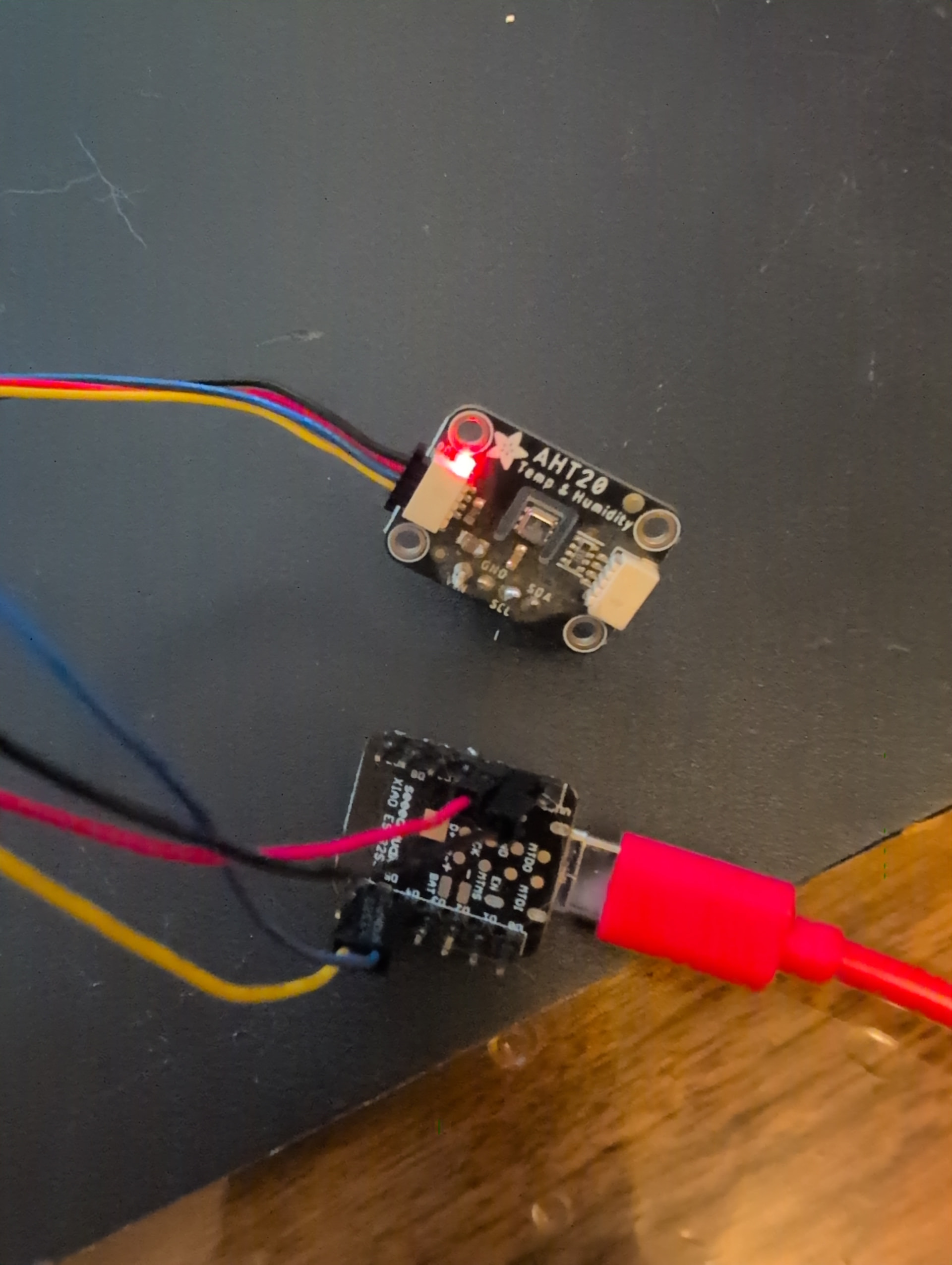

Alrighty, I think it’s a defective sensor then - Was it purchased from us? If so head over to Return Policy - SparkFun Electronics (contact vendor if purchased elsewhere) and we’ll get ya squared away
It was, and will do. Thanks for the help. Cheers.